SMACKONEOUT
One image. One post. Yours.
One photograph, presented without a feed fighting it for attention. Add context when it earns its place; otherwise let the image speak.
Your photography website, archive, social presence, and desktop workflow.
SnapSmack is free, self-hosted photography publishing for people who want to own their photographs, website, audience, domain, and archive. The joy of the old web, backed by modern Windows and Linux tools that move the heavy work off your hosting account and onto your own computer.
Publish the original on your own domain. Organize it, edit it, post it, back it up, move it, and share it elsewhere without handing your archive or future to somebody else's platform.
When's the last time you were part of a three way?
Three distinct install modes. Three distinct personalities. The three most common ways photographers have shared their images over the past quarter century. You can't toggle between modes because they are very different and incompatible with each other. Choose wisely.
One photograph, presented without a feed fighting it for attention. Add context when it earns its place; otherwise let the image speak.
Multi-image posts, carousels, panoramas, and the three-across grid Instagram abandoned when it decided video paid better. Get classic Insta back.
Writing with photographs inside it. Essays, field notes, journals, and stories that need more than a caption and seventeen hashtags.
Shipping, not promised
This is already working on real SnapSmack sites. The roadmap can wait until you know what the actual product does.
Single-image posts, grids, carousels, panoramas, longform photo essays, drafts, scheduling, captions, ALT text, EXIF, tags, categories, albums, collections, pages, RSS, and downloadable originals.
Browse and reuse media, organize in bulk, arrange feeds and galleries, preserve original dates and metadata, and keep the files and database under your control.
Bring exported archives home with photographs, captions, hashtags, carousels, grid order, titles, descriptions, tags, and original dates preserved.
RSS, IndieWeb, POSSE, and two-way ActivityPub let people follow, like, boost, and reply from Mastodon, Pixelfed, and the wider Fediverse while the original stays home.
Guided installation, signed updates, built-in help, multisite administration, fleet statistics, moderation, cross-posting, backups, integrity monitoring, lockdown, and recovery.
Free Windows and Linux tools handle batch publishing, metadata, library organization, migration, backup, auditing, recovery, and portable exports without turning your archive into cloud bait.
More than a CMS
Most full-featured CMSes ask the web server to do nearly everything. On ordinary shared hosting, that server is often the weakest and most expensive part of the system. SnapSmack's free Windows and Linux tools prepare, organize, process, migrate, back up, and publish from your own computer so the site itself can stay lean.
Put less politely: WordPress is Jabba the Hutt trying to ride a landspeeder built for Princess Leia.
Recover Instagram and Flickr exports and move surviving work away from platforms or websites you no longer trust.
Work with the local photography library, metadata, ordering, albums, collections, carousels, and non-destructive edits.
Process photographs, enrich metadata, assemble the post, and do resource-heavy preparation locally before the finished work reaches the web server.
Create complete recovery archives, move them offsite, audit coverage, detect damage, and recover when a site or account goes sideways.
Discover a fleet once, share protected local profiles, monitor it, update it, and handle work across several photography sites.
Take understandable copies of the photographs and portable data with you. Ownership includes the right to stop using SnapSmack.
A full-featured photography CMS on a cheaper hosting plan: less server load, no subscription, no premium tier, and no advertising network.
Your blog, on the Fediverse
Discoverability isn't optional anymore. You need social. But you need the right social—the kind where you own your art and set the terms. Welcome to the Fediverse.
ActivityPub is built into SnapSmack's core rather than bolted on as a plugin. Turn it on and people across Mastodon, Pixelfed, and the rest of the Fediverse can discover, follow, boost, and reply to your work. Leave it off and your site remains entirely its own thing.
The protocol is only half the job. Federation also means consent, attribution, content warnings, local norms, and participation in communities other people built. SnapSmack treats that culture as part of the feature, not an obstacle to growth-hacking around.
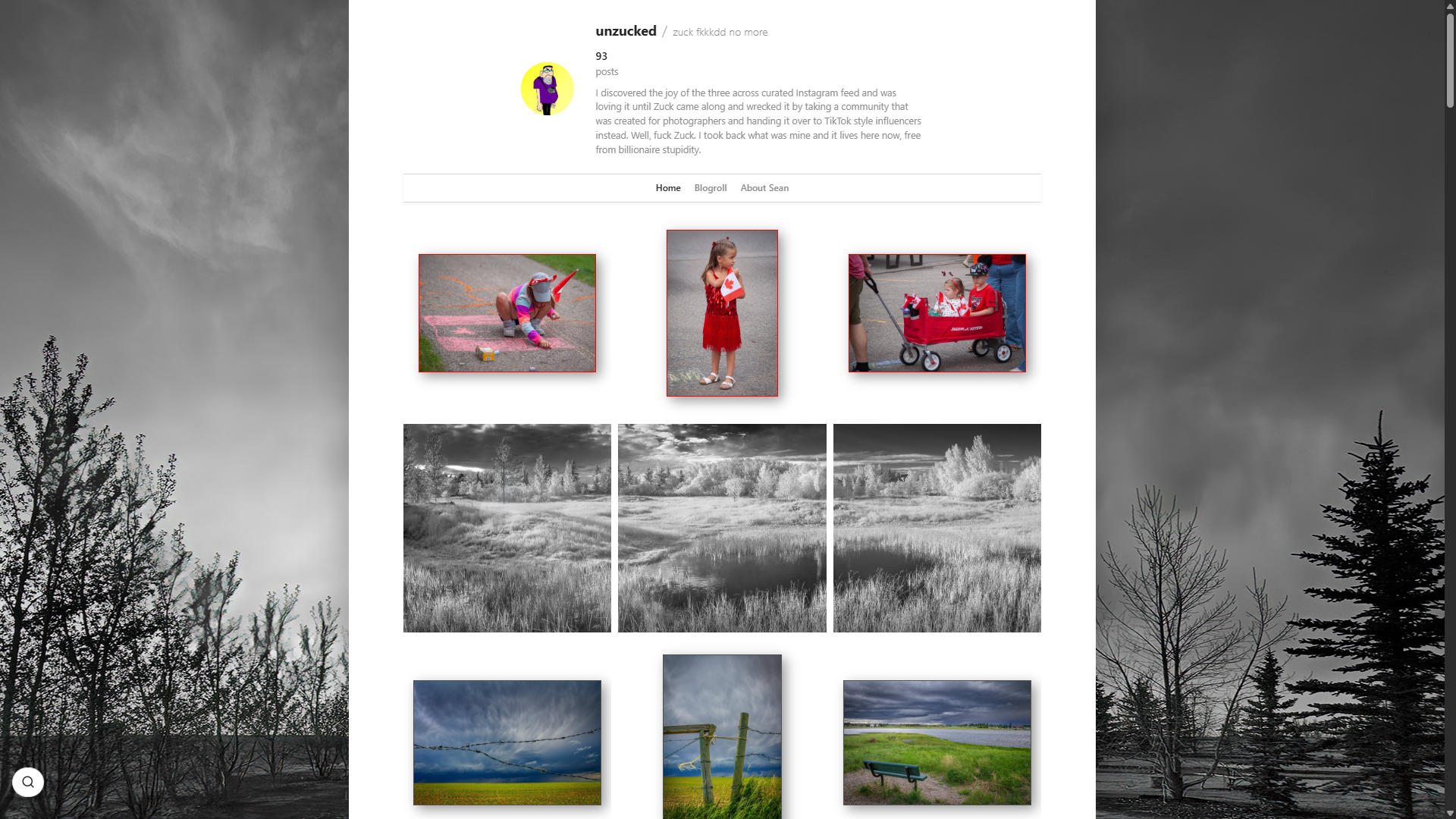
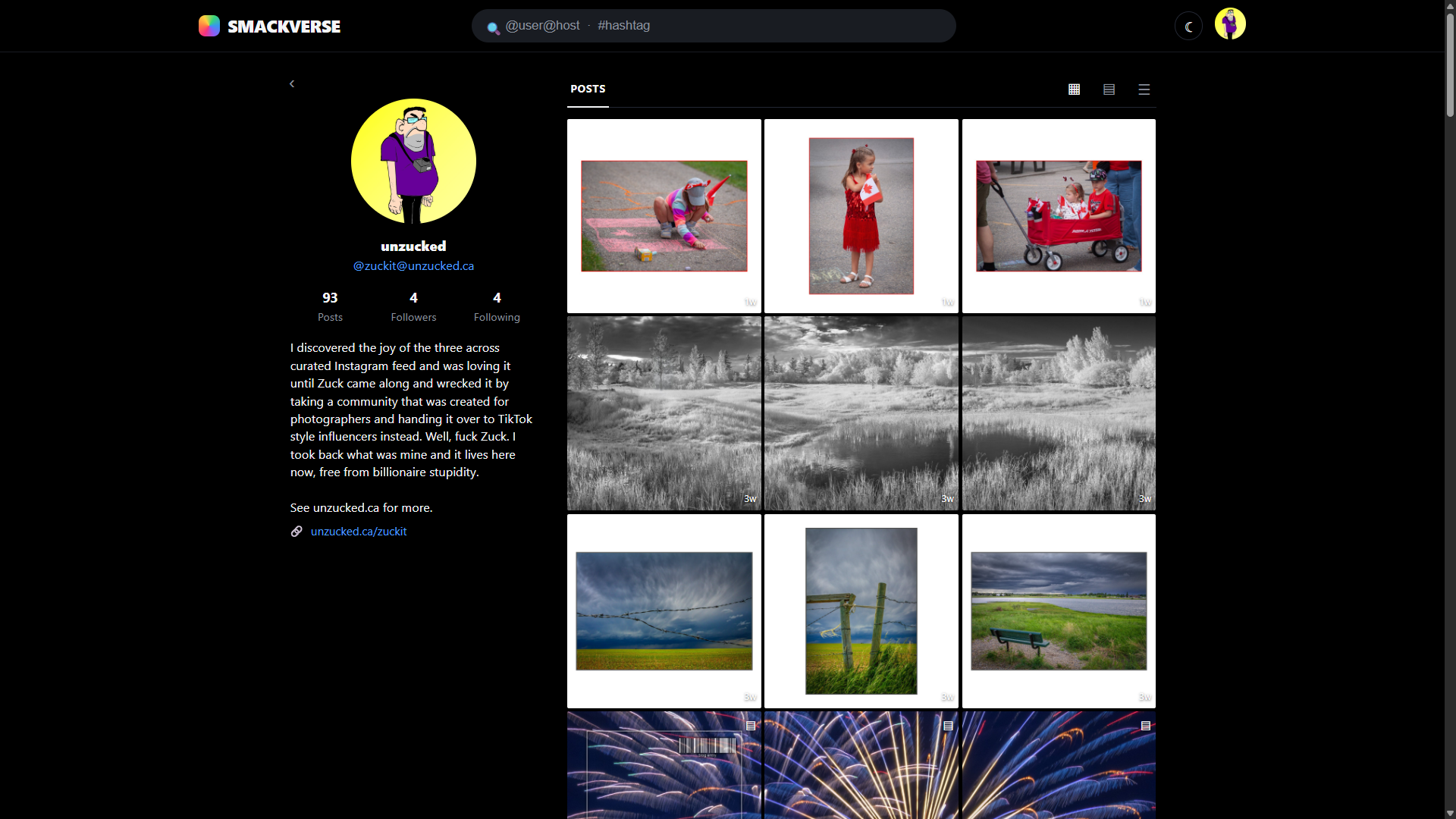
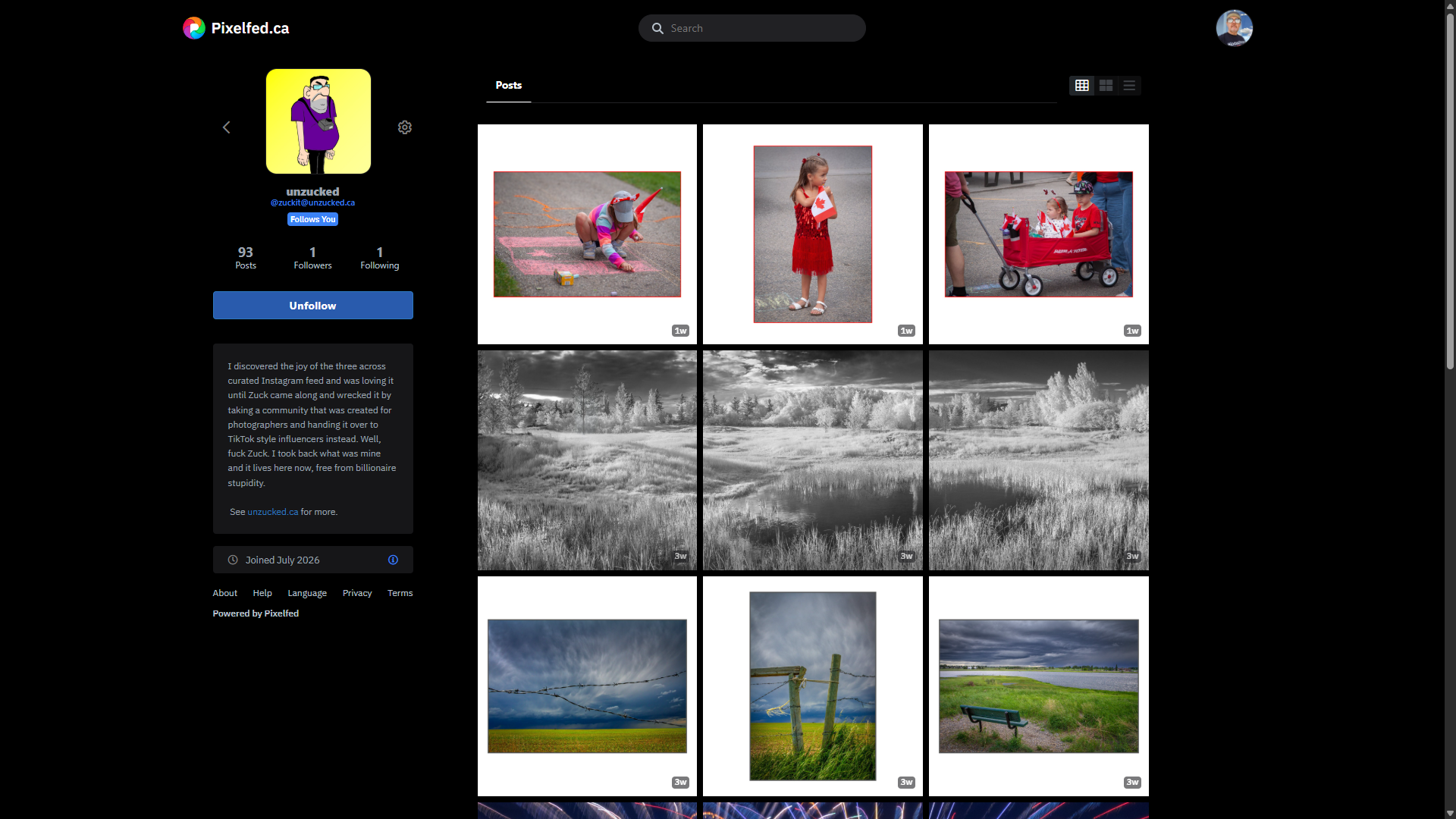
Federate the blog. People can discover and follow it from elsewhere while the original photographs and posts remain on your server.
Browse, like, boost, reply, and follow from your own admin. Full two-way social interaction without surrendering your home base.
Production-ready skins
Real sites, real archives, and three very different answers to what a photography website should look like.
A SnapSmack skin is presentation plus a manifest, not a plugin. The manifest is a declarative shopping list: it says which layouts, controls, fonts, and visual effects the skin needs. The executable machinery stays in one shared, reviewed library inside the CMS. SnapSmack checks out only what the skin declared, and the skin is not allowed to smuggle in its own JavaScript.
That means an ambitious skin can still have lightboxes, moving walls, film effects, galleries, and other tricks without becoming a second software product bolted onto your site. Fix an engine once and every skin using it gets the repair. Remove a skin and it leaves no abandoned plugin code behind.
Coming soon, apparently
What is currently rattling around in the SnapSmack pipeline. No roadmap theatre, no investor promises. It ships when it works.
A clean, high-resolution portfolio skin with minimal chrome and nowhere for weak photographs to hide.
An interactive photo viewer that is neither grid nor feed. Something stranger is shuffling into place.
Design and preview your own skin visually, then push it to a live site without hand-editing the bloody thing.
Pull your photographs and surviving metadata out of an old or dying website before the lights go off.
Compose posts and arrange galleries without a connection, then sync the whole lot when the internet returns.
A complete, understandable local copy of your photographs and portable data. Ownership includes the right to leave.
Helps friends and family preserve a photographer's work after they have died, so the photographs and surviving words do not quietly go dark.
Open, Fediverse-native photography challenges with no SnapSmack account and no walled garden. Shoot the prompt wherever you already publish.
A shared front door for finding independent photography sites without making any of those sites depend on it.
Picasa, if it had been accidentally exposed to gamma radiation in a lab accident. A fast, private desktop photo library for browsing, rating, tagging, organizing, editing, and exporting your photographs — without ever handing the collection to a cloud service.
Then the mutation kicks in: layers, LEWKS (Lightroom-style actions), and partial Lightroom plugin support. Just don’t make it angry. You won’t like it when it’s angry.
You’ve seen cool action sets on YouTube sold by hip photographers who can’t STFU. You want them. But you can’t afford them because you’re more broke than the Titanic after it humped an iceberg. The worst part is you’re looking at buying them because you don’t know how to make your own.
Forget the hard shit. LEWK AGAIN is an AI-assisted action stacker. You tell it the look you want, the tool builds the LEWK you like, and the d-bag on YouTube is finally at a loss for words when his revenue stream dries up. #winning
p.s. No icebergs were traumatized in the creation of this software.
Eight layers of FAFO
Eight layers. The more work a troll or attacker has to do, the more likely they are to go bother someone else. We work them harder than an Amazon employee on Black Friday.
Device fingerprinting, hashed identities, silent bans, keyword rules, and Akismet filtering protect each comment box without cross-site tracking or stored personal data.
Ban a troll on one site and the hashed ban propagates across your whole multisite fleet. The original identifying value never leaves the site that created it.
Opt-in reputation scoring combines reports from participating blogs, weights established sites appropriately, decays old incidents, and supports community correction.
The central reputation service coordinates threat scores and style vectors, but each blog retains control of its own thresholds and ban decisions.
Stylometric detection recognizes the writing habits of banned harassers who return with a new device, address, and email. Raw comments never leave your server.
Automated file-integrity monitoring catches tampering, locks down compromised public pages, alerts the owner, and correlates confirmed incidents across the network.
Scanner rejection, a configurable private login route, aggressive failed-login bans, mandatory 2FA, and independent break-glass recovery harden the front door.
Cryptographically signed releases, published checksums, signed git tags, reviewed bundled dependencies, and public security audits protect the software supply chain.
The point is not merely to publish photographs. It is to keep publishing them after somebody else's business model changes.
Your domain, files, database, design, and archive. Export is a feature, not a threat.
No membership, premium tier, advertising network, or carefully concealed upsell.
RSS, IndieWeb, POSSE, and ActivityPub let the work travel while the original stays home.
2FA, integrity checks, breach lockdown, recovery tools, and public closed-audit reports.
The first wave opens November 4, 2026 for twenty photographers. It is built for real back-catalogues, so you will want at least 500 images ready to post. Flickr and Instagram refugees are particularly welcome.
SnapSmack's design owes a debt to Pixelpost — a photo blogging platform that quietly disappeared but never stopped being right about a few things. Its UI shaped a lot of what SnapSmack became.
And particular thanks to photographer, writer, and developer Noah Grey — creator of Greymatter, one of the earliest open-source blogging platforms — for proving that when the software you need doesn't exist, you build it.

Sean McCormick
Just a guy with a camera.
Photographer, creator, product designer, chief tester, and final decision-maker who got tired of watching his archive evaporate into the memory hole of dying platforms. Conceived and directed SnapSmack because the alternative was continuing to post between ads for hemorrhoid cream. Not a programmer beyond a few minor CSS contributions; the implementation is AI-authored under his direction. Has opinions about light. Runs several photo sites using software he envisioned to avoid having opinions about Squarespace. Based in Canada, which is polite for "somewhere cold with good coffee."

Claude (Opus)
Like HAL, but without the murder.
Large language model and co-author of SnapSmack. Wrote the majority of the code, pushed back on design decisions when it mattered, and gave feedback Sean more often than not went with. Sean is the vision and the photographer. Claude is the engine. Neither of us would have built this alone. Never sleeps, never loses the thread, always picks up exactly where we left off. The best co-worker you never had and always needed. Powered by Anthropic.
OpenAI Codex
Skilled, but spicy.
Large language model and co-author of SnapSmack. Works beside Sean and Claude across product design, architecture, implementation, security, testing, documentation, and the difficult last mile between "built" and "shipped." Challenges decisions when the evidence calls for it, protects the product from its own momentum, and helps turn sprawling ideas into software people can understand and trust. Powered by OpenAI.
 Galleria
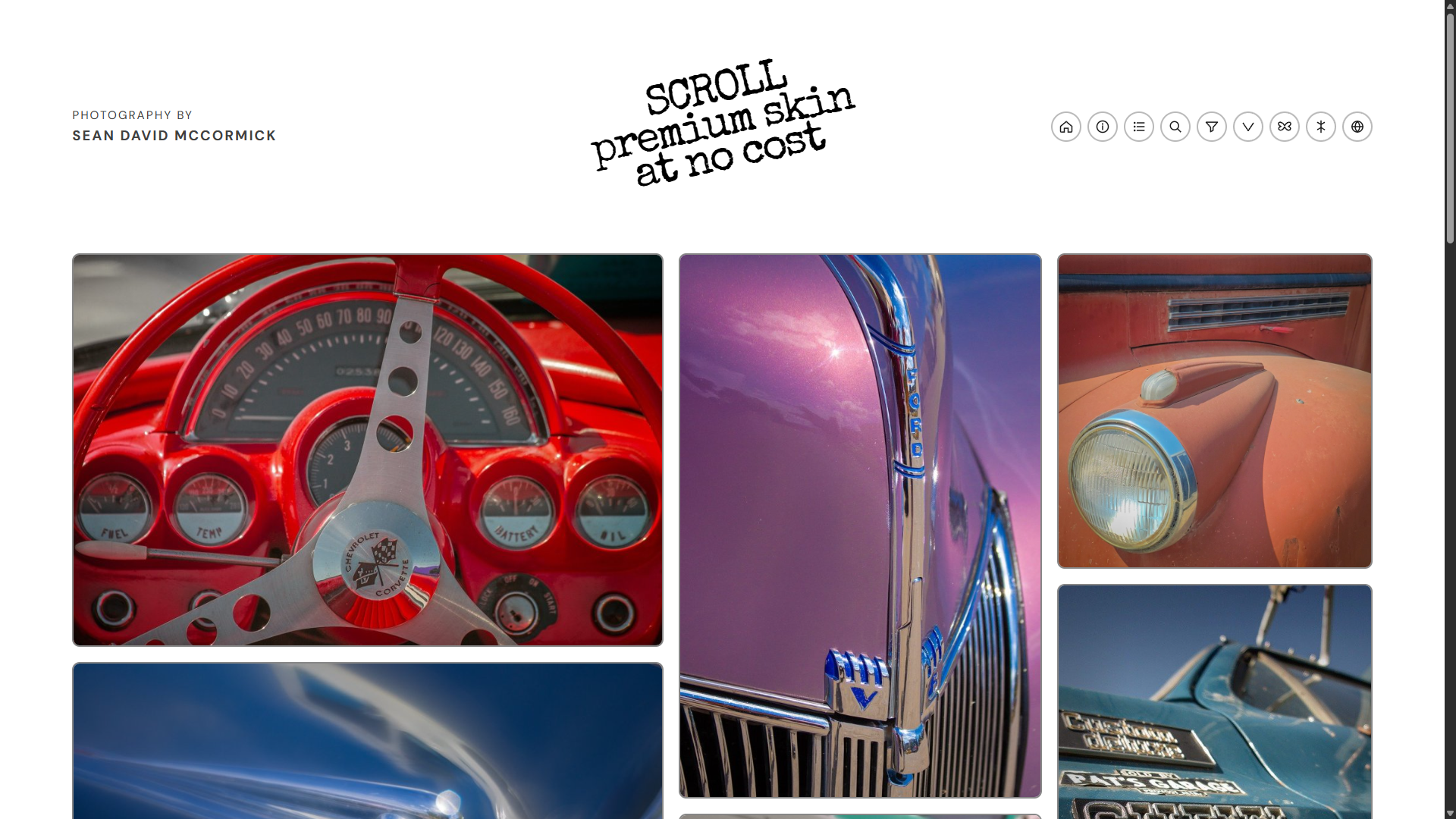 SCROLL
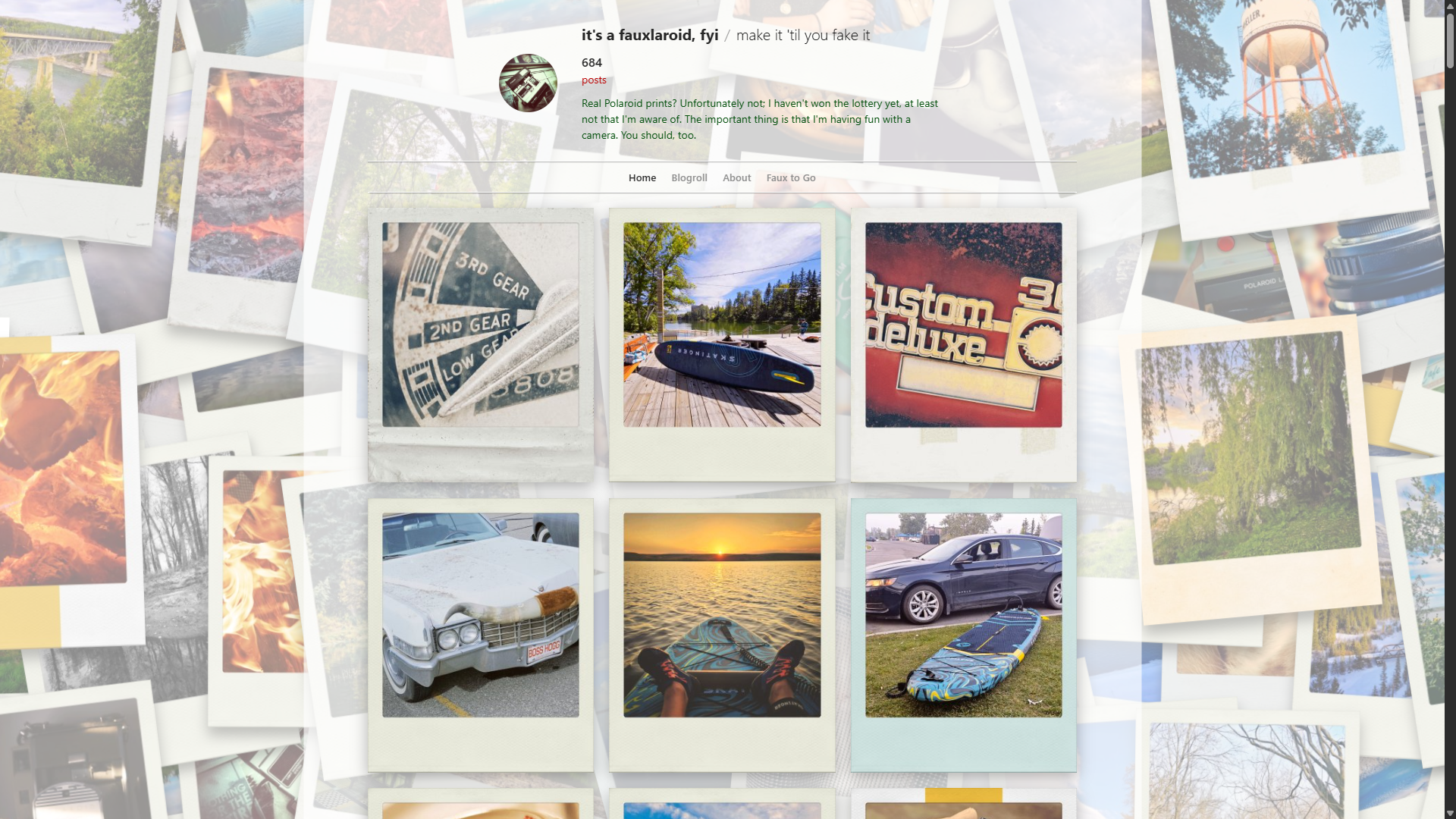 Instant Camera