← BOX O’ TRICKS! · the desktop suite
Windows / LinuxClosed beta
SNAP SLAPPER
A private photo library and real non-destructive editor built beside SnapSmack, not rented from somebody else’s cloud.
SNAP SLAPPER began as the missing space between a folder full of photographs and the finished work on a SnapSmack site. It has grown into the place where the whole local workflow can happen: browse a real archive, rate and tag it, organize files and folders, develop one photograph carefully, move through a shoot quickly, save the work as an open project, and hand the finished result to the web without surrendering the originals.
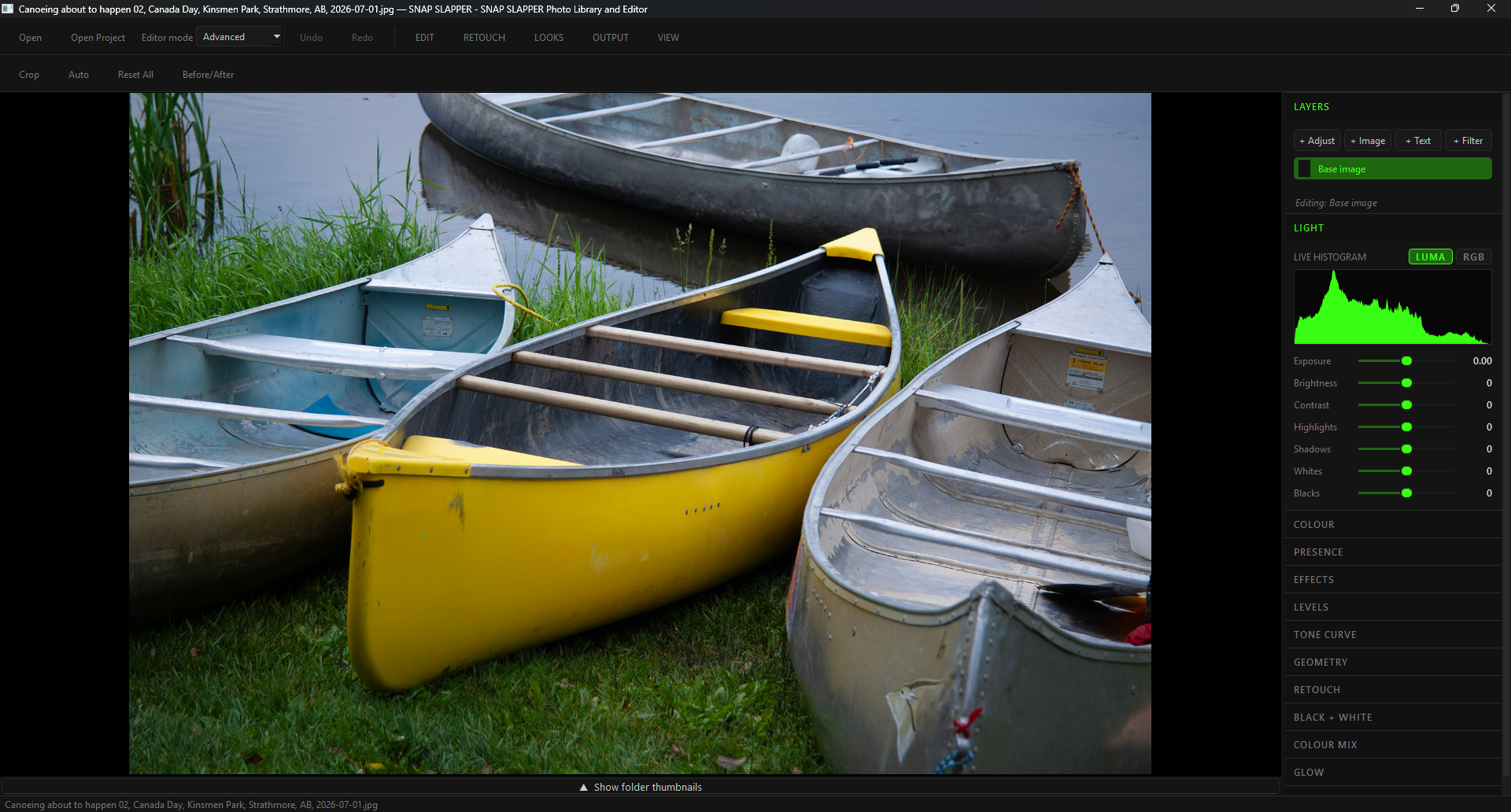
It is deliberately two editors in one. Normal keeps the everyday photographic controls visible and the machinery out of the way. Advanced opens the layers, masks, curves, colour tools, geometry, retouching, filters, textures, recipes, and export controls when the photograph actually needs them. You choose the depth; the software does not punish you for knowing less or hold you back for knowing more.
The two editors in one
Every photograph Sean publishes now goes through SNAP SLAPPER first. That is the test it is being held to: not a demo file, but a working photographer’s daily output, with the awkward controls found by hitting them.
Your archive is not an import hostage.
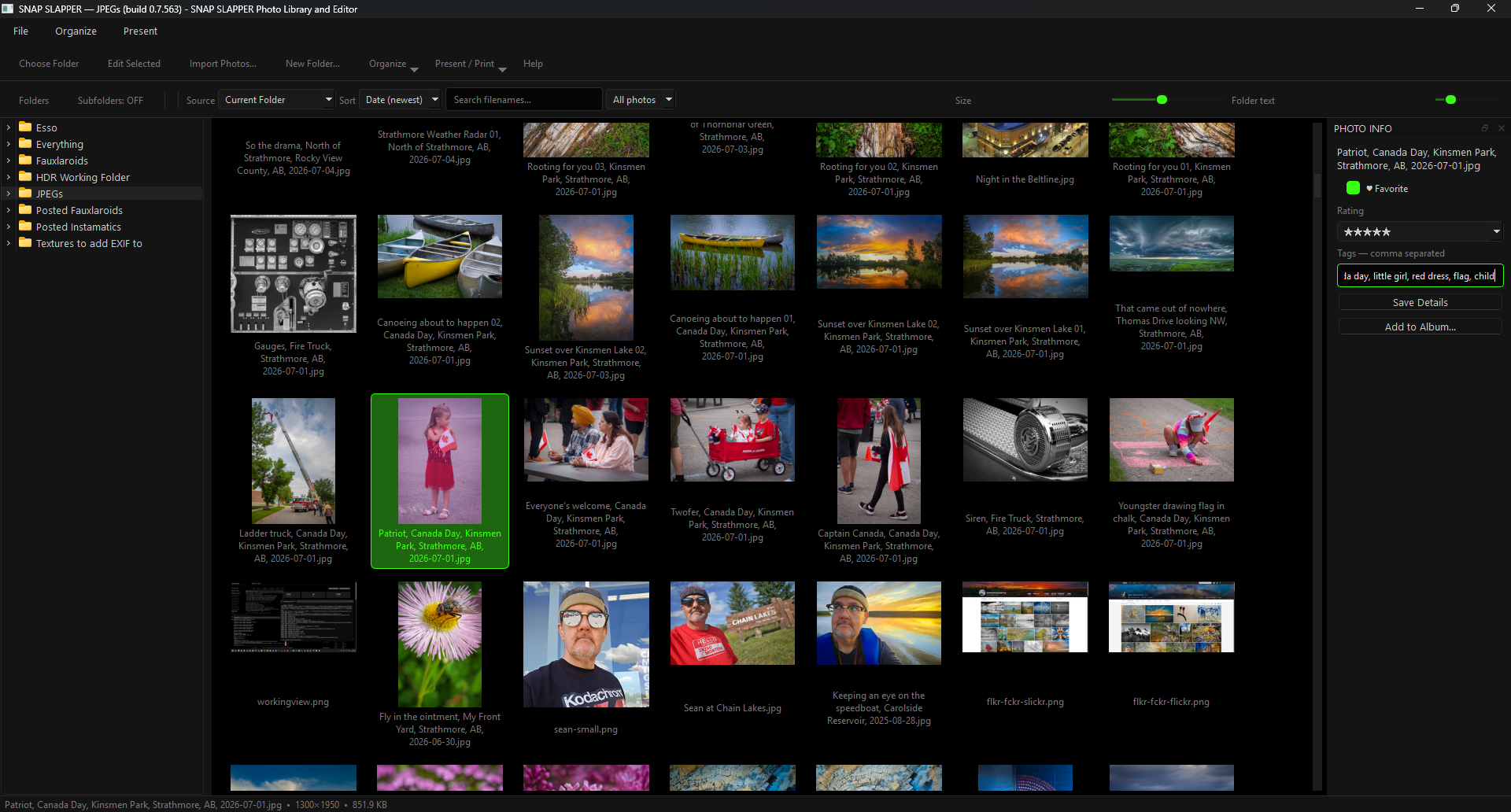
Point SNAP SLAPPER at the folders you already use. It reads the photographs where they live instead of demanding that thousands of originals be swallowed by a proprietary catalogue before you can see them. Include subfolders when the hierarchy matters, resize both the thumbnails and folder text, search filenames, sort the shoot, and filter what is on screen.
Ratings, favourites, tags, and albums sit beside the photograph rather than in another disconnected application. The organizer can create and rename folders, move photographs, batch-rename safely, and show the important metadata without turning file management into a scavenger hunt.
The original file remains the original file. Editing is non-destructive, exports are new files, and the library is a view onto your photography rather than a deed transferring ownership to the program.
Normal means focused, not crippled.
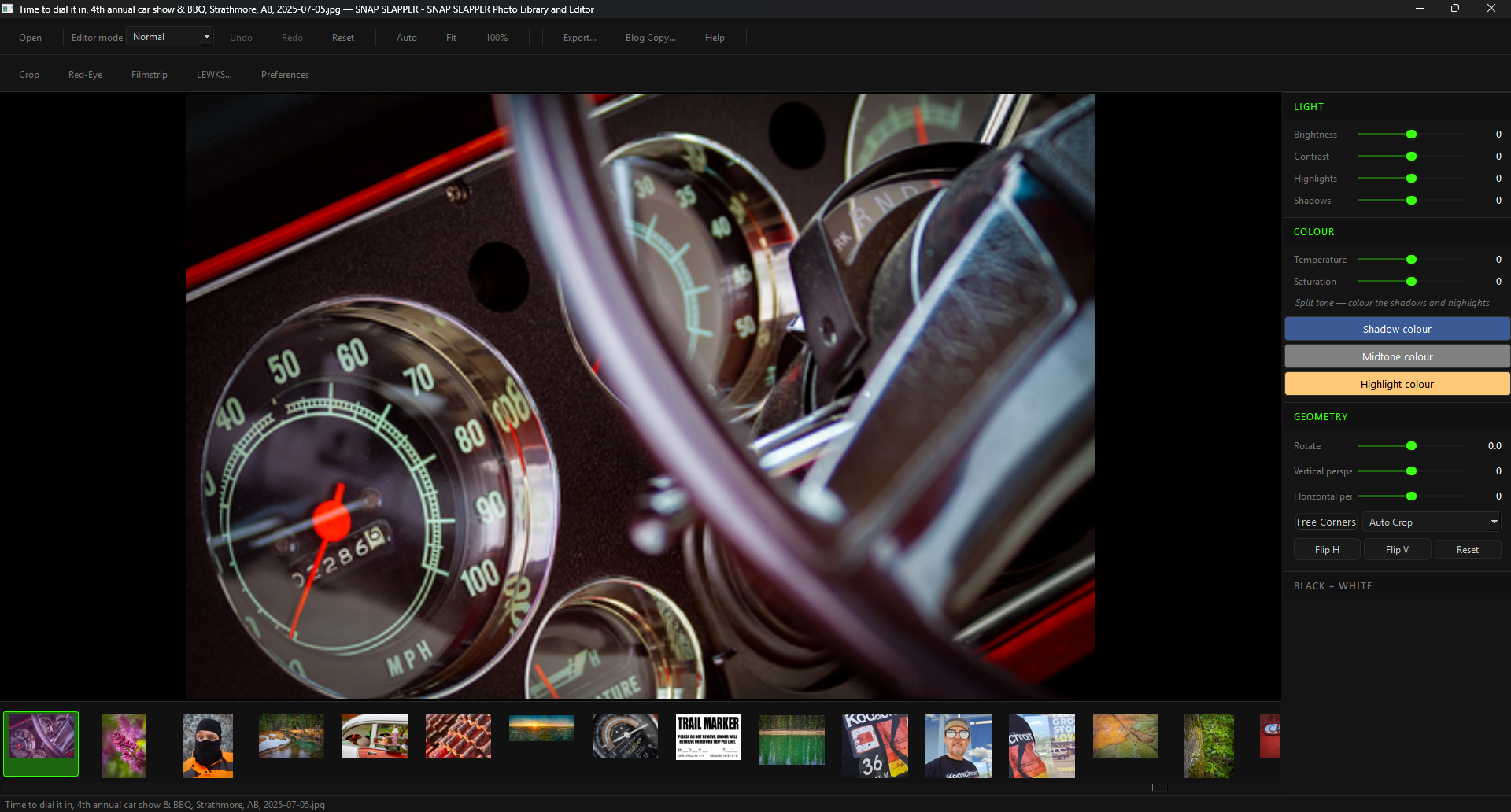
Normal mode puts brightness, contrast, highlights, shadows, temperature, saturation, vibrance, black and white, geometry, and vignette where a photographer can find them. Crop, red-eye correction, Auto, LEWKS, export, and blog-copy tools remain one click away. It is enough room to finish most photographs without staring into an aircraft cockpit.
The filmstrip follows the folder under the open photograph, loads as you scroll, and can be folded away when the image needs every available pixel. Fit and 100% views are explicit: one is for composition, the other is a real focus check at native resolution.
Normal mode intentionally leaves out layers, masks, paint machinery, and specialist controls. Simplicity here is a designed workspace, not an arbitrary set of disabled features.
When the photograph needs the whole bench.
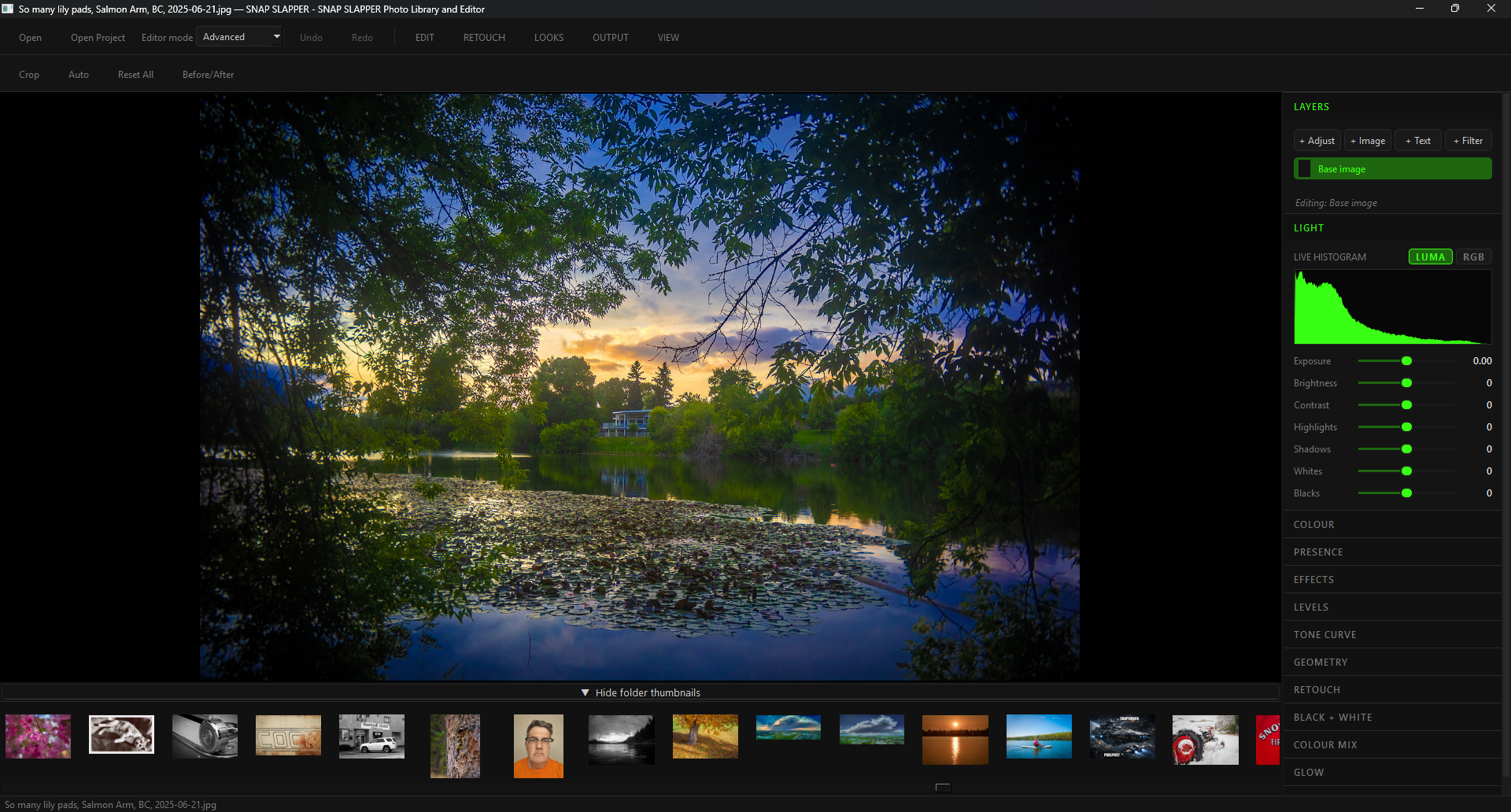
Advanced mode exposes the complete non-destructive stack. Add adjustment, image, text, and filter layers; change opacity and blend mode; reorder or isolate the work; and apply radial, linear, luminosity, colour-range, or painted masks. The live histogram can show luminance or RGB while the photograph changes underneath it.
Light, colour, presence, effects, levels, master and per-channel curves, geometry, retouching, black-and-white colour mixing, colour mixing, split toning, glow, sharpening, filters, and textures are editable instructions rather than damage baked into the source. Perspective can be corrected vertically, horizontally, or by pulling individual corners while straight lines remain straight.
Recipes capture a sequence for reuse and batch work. Projects preserve the stack for later. PSD, TIFF, PNG, and JPEG exports provide practical exits instead of pretending one application should own the rest of your working life.
The interface gets out of the photograph’s way.
A serious editor needs density without becoming an obstacle course. The right rail collapses complex sections into named groups. The filmstrip opens when you are comparing a run and closes when you are concentrating on one frame. Normal and Advanced are visible modes, not secret preferences buried three dialogs deep.
Before/After makes the original available without destroying the current state. Undo, redo, reset, crop, spot heal (a local blur patch, no model), red-eye work, and keyboard shortcuts support the repetitive rhythm of actual editing. Window changes re-render a correctly sized preview so maximizing the workspace does not leave a fuzzy proxy stretched across the screen.
The editor is being dogfooded against real folders and real photographs. That matters. The awkward controls, unloaded thumbnails, duplicate windows, and assumptions that only appear after the twentieth image are being found by using the program as the primary editor—not by admiring a demo file.
Looks you can see, change, save, and leave with.
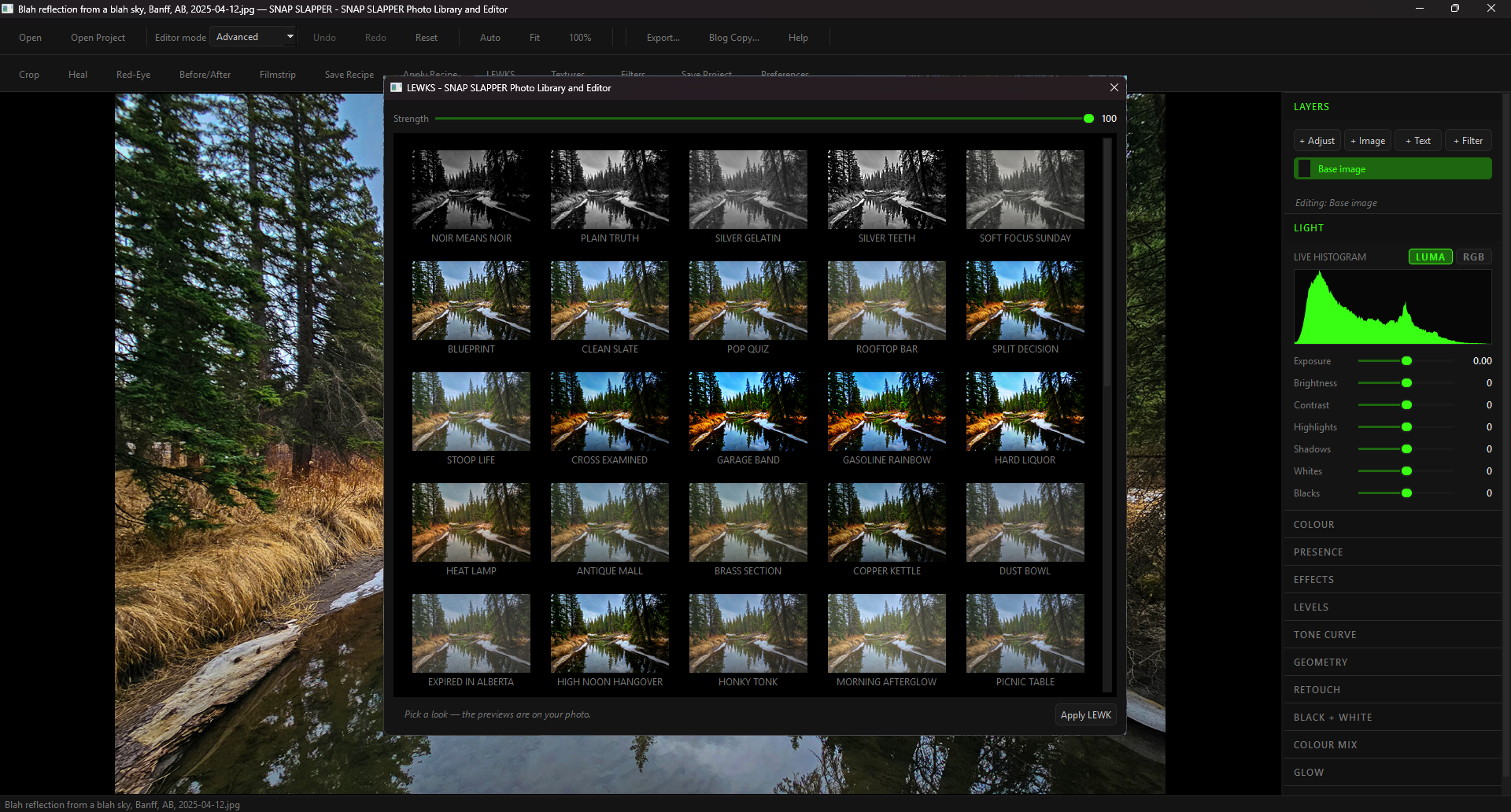
LEWKS are reusable appearance recipes, previewed against the photograph that is actually open rather than a vendor’s perfectly lit sample. Black-and-white treatments, corrective starting points, film and print character, landscape colour, portrait handling, and deliberately strange experiments can all be auditioned at adjustable strength.
Applying one does not flatten the photograph into a dead end. The underlying controls remain controls. Change the contrast, pull back a colour channel, alter the curve, stack another idea, or save the result as your own recipe. A useful preset should accelerate a decision, not conceal how the decision was made.
LEWK AGAIN sends only your written request to the provider. The photograph stays on your computer; the provider returns an adjustment recipe, and SNAP SLAPPER applies those ordinary controls locally. A model suggested the settings, but it did not render pixels into the frame.
SNAP SLAPPER runs locally, arrives through SNAP HQ, and works beside a SnapSmack installation rather than inventing another subscription account or cloud library. The desktop application does the heavy image work on your computer. Your site, your archive, your edits, and your exit remain yours.
Generative tools, and what they leave behind.
SNAP SLAPPER now has Generative Fill and Generative Expand alongside AI Heal: paint a region and a model reconstructs it, or push the canvas past the captured frame and the model invents the rest. Useful. Also exactly the kind of thing a photograph should not be quiet about.
So it isn’t quiet. Every generative operation that is still in the picture at export — Generative Fill, Generative Expand, AI Heal, whole-image restoration — is written into the exported file’s metadata: what tool did it, where, how much of the frame (measured by the region you handed to the model, not the blend around it), which provider and model, and when. Your exact written instruction stays in the local .slapper project; the exported photograph carries a neutral summary instead. A dust spot repaired by a generative model is labelled as AI-assisted restoration, not “AI-generated photograph” — and a replaced sky is labelled as what it is, not as dust. Undo something before you export and it isn’t in the file, because it isn’t in the picture.
This cannot be disabled. There is no setting, no advanced-mode override, no export option that strips it. If you want to hide that a generative model touched a photograph, you will have to do that in someone else’s software. We’re not driving your getaway car if you rob the pixel bank. The original file is never modified either way. The full rules are written down in the provenance spec; the short version is: the picture that ships says what happened to it.
Keep going